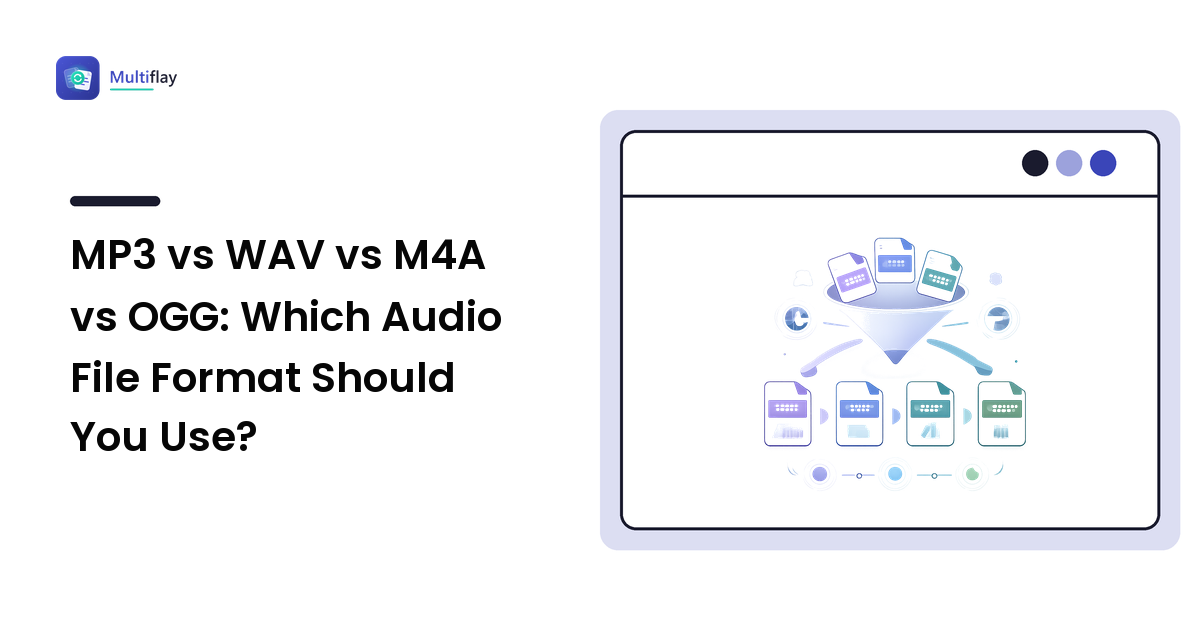
If you only remember one line: MP3 when it needs to play everywhere, WAV when you're still editing, M4A when you're inside the Apple ecosystem, and OGG (Opus) when it's voice or web audio and size matters most. That covers almost every everyday audio decision.
The reason these formats coexist is the same reason image formats do: each was designed for a different job. This guide explains the one idea behind all of them, gives you a decision table to keep, and is honest about what happens when you convert.
The only concept you need: lossy vs lossless
Audio on a computer starts as a stream of measurements — thousands of samples per second, each recorded as a number. Store all of those numbers exactly and the file is lossless. Throw away the ones your ears are least likely to miss and the file is lossy.
That single choice explains everything else:
- Lossless files (WAV, FLAC, AIFF, ALAC) hold the full recording. They are large, they survive unlimited editing and re-saving, and they never degrade.
- Lossy files (MP3, AAC/M4A, Vorbis and Opus in OGG) are dramatically smaller because detail has been permanently discarded. For listening, a well-encoded lossy file is hard to tell from the original. For editing and re-encoding, the losses stack.
Two rules follow, and they trip people up constantly:
- Converting lossy to lossless does not restore quality. Turning an MP3 into a WAV gives you a large file containing exactly the same degraded audio.
- Re-encoding lossy to lossy degrades further. Every trip through MP3 or AAC discards a bit more. This is generation loss — the audio equivalent of photocopying a photocopy.
The same logic drives file size everywhere, which our file compression guide covers across documents and images too.
Why WAV files are so enormous
WAV usually stores raw, uncompressed audio, so its size is pure arithmetic: samples per second × bits per sample × number of channels.
Take standard CD-quality stereo — 44,100 samples per second, 16 bits each, two channels. That's 44,100 × 16 × 2 = 1,411,200 bits per second, or about 176 kB every second, which works out to roughly 10 MB per minute. A one-hour meeting recording lands somewhere around 600 MB.
Nothing is wrong with your file. That is simply what "keep every measurement" costs, and it is why WAV is a working format rather than a sharing format.
The formats, one by one
MP3 — the universal one
The format everything plays: phones, cars, old MP3 players, cheap Bluetooth speakers, every browser and media app. It's lossy, it's been around long enough that compatibility is essentially a solved problem, and it carries track information (artist, title, album art) in embedded tags.
Newer formats compress more efficiently at the same quality. MP3 wins on compatibility, not on efficiency. When you don't know what will open the file, send MP3.
WAV — the editing and archival one
Uncompressed and lossless. Use it while recording and editing: cutting, mixing, noise removal, and volume adjustment all work on the full data with no accumulating damage. Export to a lossy format only at the very end.
Its weaknesses are size and metadata — tagging support is inconsistent compared with MP3 or M4A. AIFF is the closely equivalent format more common on Macs.
M4A — the Apple-ecosystem one
An M4A file is audio inside an MP4-style container, and this is where confusion starts: the extension doesn't tell you the compression. Most M4A files hold AAC, which is lossy and generally more efficient than MP3 at the same bitrate. But an M4A can also hold ALAC, which is lossless.
If a "small" M4A is unexpectedly huge, that's the giveaway — it's probably ALAC. M4A plays natively across Apple devices and is widely supported elsewhere, though not quite as universally as MP3.
OGG — the open, efficient one
OGG is also a container, and what's inside is usually Vorbis or, more often now, Opus. Opus is an open, royalty-free codec designed to stay intelligible at very low bitrates, which is why it dominates voice chat and browser-based calling.
For a spoken-word recording — a lecture, an interview, a voice note — Opus in an OGG file is typically the smallest option that still sounds fine. The catch is device support: some older hardware, car stereos, and desktop apps won't open it.
FLAC — lossless, but compressed
FLAC keeps every sample like WAV, but compresses the data losslessly, so files are meaningfully smaller than WAV with zero quality difference. It also handles metadata properly. Use it for archiving a master recording you'll want to work from later. Support is good in modern software and patchy in older devices.
The decision table
| Your job | Use | Why |
|---|---|---|
| Send a clip to someone and you don't know their device | MP3 | The safest bet for compatibility; nothing refuses to play it |
| Record, edit, or mix audio | WAV | Lossless, so repeated edits and saves never degrade it |
| Archive a master you'll re-edit later | FLAC | Lossless like WAV, but a much smaller file, with proper tagging |
| Voice memo, lecture, or interview to share | OGG (Opus) or a low-bitrate MP3 | Speech compresses hard; Opus is smallest, MP3 is safest |
| Audio for Apple devices or Apple software | M4A (AAC) | Native support and better efficiency than MP3 at the same size |
| Attach audio to an email | MP3 at a moderate bitrate | Small enough to clear typical attachment limits, plays anywhere |
| Background audio on a web page | MP3 with an OGG/Opus alternative | MP3 for universal support, Opus for smaller downloads where supported |
| A recording someone will transcribe | WAV or FLAC | Heavy compression smears the consonants transcription depends on |
What bitrate actually changes
For lossy formats, bitrate is the dial that trades size against quality — how many bits per second the encoder is allowed to spend. Lower bitrate means a smaller file and more audible artefacts, usually heard first as smeared cymbals or a "swirling" quality on complex sound.
Two practical guidelines rather than magic numbers:
- Speech needs far less than music. A voice recording stays perfectly clear at bitrates that would make music sound obviously damaged.
- Choose the bitrate once, at the final export. Encoding at a high bitrate and later re-encoding lower is worse than encoding once at the lower setting, because you pay the generation-loss penalty twice.
Trust your own ears on a short test clip before committing a long recording, and if a file still won't fit somewhere, our guide to oversized email attachments covers the ways around a size limit.
FAQ
Is WAV better quality than MP3?
A WAV made from the original recording holds more data than an MP3 of the same source, so yes, technically. But a WAV converted from an MP3 is not better than that MP3 — it just takes up far more space. Quality comes from the original, not the container it ends up in.
What is an M4A file, and can I open it on Windows?
An M4A is an audio file in an MP4-style container, usually holding AAC audio. Modern Windows plays it natively, and most media players handle it. If something refuses it, converting to MP3 solves it — accepting that you're re-encoding lossy audio once more.
Which audio format is smallest?
Among common formats, Opus (inside an OGG file) generally produces the smallest files at a given perceived quality, especially for speech. MP3 is larger for comparable quality but plays on more devices. Pick the smallest format your audience can actually open.
Does converting MP3 to WAV improve the sound?
No. The detail MP3 discarded is gone permanently. Converting to WAV stores that same audio without compression, producing a much bigger file and no audible improvement. Convert to WAV only when a program requires it.
Which audio format should I use for a podcast or voice recording?
Record and edit in WAV, then export a single MP3 at a moderate bitrate for distribution — the combination gives you a clean edit and a file every podcast app and browser will play. Keep the WAV or a FLAC copy as your master in case you need to re-edit.
Stuck with an audio file in the wrong format? Multiflay is a free, browser-based file toolkit — drop a clip and get the format you need, with uploads that auto-delete. Convert between MP3, WAV, M4A, and OGG at multiflay.com.