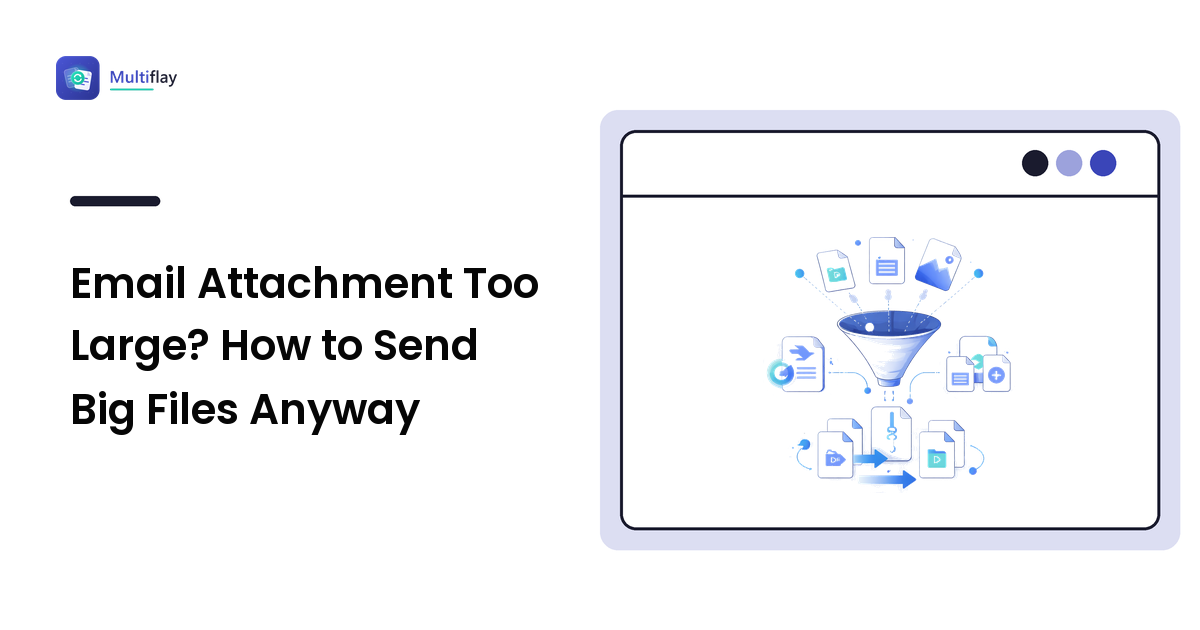
If your email attachment is too large, you have three real options: compress the file, split it into smaller parts, or stop attaching it and share a cloud link instead. Most webmail providers cap attachments at roughly 25 MB, and that ceiling counts the encoded size, which is larger than the file on your disk. Which fix is right depends entirely on what kind of file it is.
This guide explains why the limit bites earlier than you expect, then walks through the correct fix for each file type — PDFs, photos, video, and folders of documents — plus what you lose in each case.
Why is my attachment too large when the file looks small enough?
Two things surprise people here.
First, email was never designed to carry files. Attachments are converted into plain text so they survive the trip — an encoding step (usually Base64) that makes the attached copy noticeably bigger than the original on your hard drive. A file sitting comfortably under a 25 MB cap can cross it once encoded. That is why a 24 MB file can still be rejected.
Second, both ends have limits. Your provider might allow 25 MB while the recipient's corporate mail server rejects anything over 10 MB. A message can leave your outbox and bounce hours later. Limits vary by provider and by company policy, so treat any number you read — including the common ~25 MB figure — as a rule of thumb and check your own provider's current help page.
The practical takeaway: aim well under the cap rather than right at it.
Which fix should I use for my file type?
Different files get large for different reasons, so the right fix differs too.
| File type | Why it's big | Best fix | What you lose |
|---|---|---|---|
| PDF with scans or photos | Full-resolution images embedded per page | Compress the PDF (downsample images) | Some image sharpness; text stays crisp |
| PDF, text-only but long | Many pages | Split into parts, or send the pages needed | Nothing — split and merge are lossless |
| Photos (JPG/HEIC) | Modern phone cameras shoot huge frames | Resize the dimensions, then re-save | Pixel dimensions; usually invisible on screen |
| PNG screenshots | PNG is lossless, so no data is discarded | Convert to JPG or WebP | Transparency (JPG); slight detail if lossy |
| Video | Video is simply enormous | Don't attach — share a link | Nothing; email is the wrong tool here |
| Many small files | Volume, not size | ZIP them into one archive | Nothing — ZIP is lossless |
| Office docs (DOCX/XLSX) | Usually embedded images | Compress images inside the document | Image resolution only |
The pattern: lossless fixes first (split, ZIP, link-sharing) because they cost nothing, then lossy compression where a little quality loss is genuinely invisible.
How do I make a PDF small enough to email?
A PDF is usually large for one reason: it contains images at full capture resolution — scans, photographs, or pasted screenshots. Text and vector graphics take up very little space by comparison.
PDF compression works by downsampling those embedded images: storing them at a lower resolution and higher JPEG compression. This is lossy — discarded image data does not come back — but for a document that will be read on screen or printed on an office printer, the difference is rarely noticeable. A 300 DPI scan does not look better than 150 DPI on a laptop screen.
Two other lossless moves that often do the job on their own:
- Split the file. If you only need to send chapter three, send chapter three. Splitting and merging PDFs rearranges pages without re-encoding their contents, so nothing degrades.
- Re-export rather than print-to-PDF. Exporting from the source document (Word, Google Docs) usually produces a leaner file than scanning or printing a copy.
For a fuller walkthrough of merging, splitting, and shrinking documents, see our guide to PDF tools. If it is a scanned contract you also need to edit, converting it first changes the size picture entirely.
How do I shrink photos for email without ruining them?
Most people reach for a "compress" slider when the real problem is dimensions. A modern phone photo can be 4,000 pixels wide. Nobody viewing it in an email needs more than about 1,600–2,000 pixels across. Halving the width and height is the single biggest saving available, and on any normal screen the result looks identical.
After resizing, format choice matters:
- JPG is lossy: it discards visual detail permanently to save space. Ideal for photographs; each re-save degrades it a little further, so always resize from the original, never from an already-compressed copy.
- PNG is lossless: it keeps every pixel exactly and supports transparency (an alpha channel). Excellent for screenshots, logos, and line art — but a poor choice for photographs, where it produces very large files for no visible benefit.
- WebP supports both lossy and lossless modes and transparency, and is widely supported by current browsers and mail clients. A sensible middle ground when you control both ends.
- HEIC is what iPhones shoot by default. It is efficient, but support outside Apple devices is inconsistent — convert to JPG before emailing anyone on Windows or Android, or they may not be able to open it at all.
One more honest note: converting a lossy file to another lossy format re-encodes it and compounds the loss. Going JPG → WebP → JPG is worse than going straight from the original. Our image formats guide covers which format suits which job in more depth.
What if compressing isn't enough?
Some files simply do not belong in an inbox.
Video is the clearest case. Even a short clip dwarfs any attachment limit, and compressing it hard enough to fit destroys it. Upload to cloud storage — Google Drive, OneDrive, Dropbox, iCloud — and paste the share link. Most webmail even offers this automatically when it detects an oversized attachment.
ZIP a folder when the problem is many files rather than one large one. ZIP is lossless: everything unpacks byte-identical. Be aware, though, that already-compressed contents (JPGs, MP3s, MP4s, PDFs) barely shrink when zipped, because their data is already compressed. Zipping is about tidiness there, not size.
Split a large archive into parts as a last resort. Most archive tools can produce multi-part archives, but the recipient needs all parts and a tool that understands them — fragile, and a link is almost always the better answer.
Is it safe to upload a document to a free online converter?
Worth pausing on, because the file you are trying to email is often a contract, payslip, medical record, or ID scan.
Before uploading anything sensitive to a free tool, check:
- A stated deletion policy. The site should say plainly how long uploads are kept and that they are deleted.
- HTTPS, shown by the padlock in your browser's address bar.
- No forced account or unnecessary permissions just to process one file.
- The obvious alternative: for genuinely confidential material, offline options avoid uploading altogether — Word and Google Docs export to PDF directly, macOS Preview resizes and exports images, and Windows Photos resizes without any upload.
None of this is about fear. It is about matching the tool to how sensitive the file is: a holiday snapshot and a signed employment contract do not deserve the same caution.
Frequently asked questions
What is the maximum email attachment size? It varies by provider, but roughly 25 MB is common for major webmail services — and the recipient's server may enforce a lower limit. Aim comfortably under the cap rather than right at it, and check your provider's help page for the current figure.
Does zipping a file make it smaller? Sometimes. ZIP is lossless compression, so it shrinks documents, spreadsheets, and text well. Files that are already compressed — JPGs, MP3s, MP4s, most PDFs — barely shrink at all. For those, ZIP mainly bundles many files into one.
Will compressing a PDF ruin the quality? Not usually. Compression mainly downsamples embedded images; the text stays sharp because it is stored separately. Heavy compression can make scans look soft, so check the result before sending anything that will be printed.
How do I send a video by email? You generally don't. Upload it to cloud storage and share the link — a video that fits inside an attachment limit has usually been compressed to the point of looking bad.
Why does my file get bigger when I attach it? Attachments are encoded into text so they can travel through email systems, which inflates the transmitted size. That is why a file under the limit on your disk can still be rejected as too large.
Oversized attachments are rarely a wall — they are a signal that the file is carrying more resolution or more pages than the job needs. Resize the photos, compress or split the PDF, and reach for a cloud link when the file was never meant to travel by email. When you need to shrink or convert something without installing anything, you can drop a file and get the format you need at Multiflay, a free browser-based file toolkit where uploads auto-delete. For the underlying mechanics of lossy versus lossless, our file compression guide goes deeper.